

How to Send Structured Messages in SysML: Blocks, Signals, and Interface Blocks

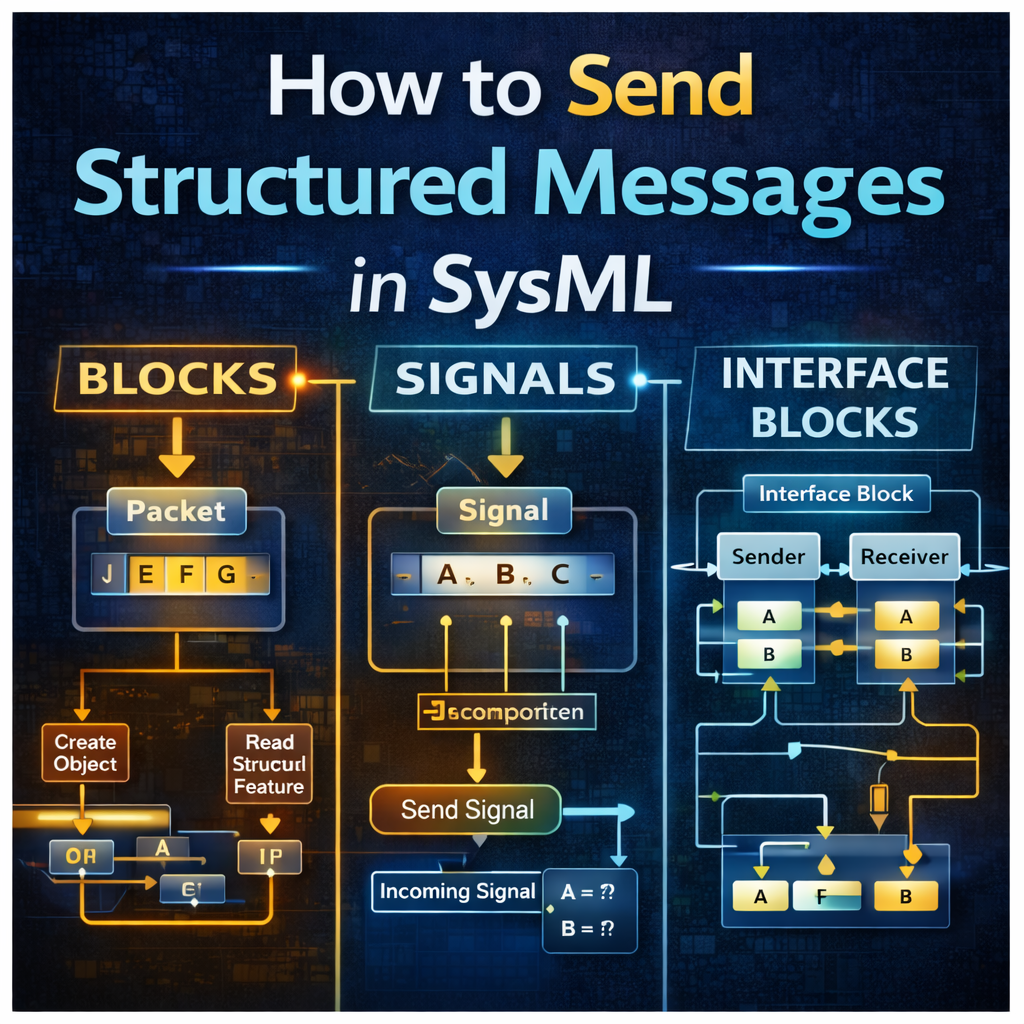
How to Send Structured Messages in SysML: Blocks, Signals, and Interface Blocks
Passing structured data between subsystems is a common challenge in SysML modeling. Whether you are sending a packet, invoking an operation, transmitting a signal, or using interface flows, the modeling approach you choose affects how easy the message is to send, receive, and parse.
In this tutorial, we walk through several practical ways to send structured messages in SysML, including:
-
sending messages with blocks
-
sending messages with signals
-
using interface blocks and flow properties
-
parsing messages on the receiving side
This example is especially useful for engineers working in Cameo Systems Modeler who want to understand the tradeoffs between these approaches and when each method makes sense.
Watch the full video here:
https://www.youtube.com/watch?v=IsrGBhvWsf8
Why Structured Message Passing Matters in SysML
In real systems, subsystems rarely exchange just a single number. More often, they exchange structured information such as:
-
command packets
-
status messages
-
error data
-
telemetry
-
control inputs
In SysML, there are multiple ways to represent and send this information. The most common approaches use:
-
blocks
-
signals
-
interface blocks
Each option has different behavior when it comes to:
-
message structure
-
simulation
-
parsing
-
operations
-
flow mapping
Understanding these differences helps you choose the right modeling pattern for your system.
Parsing Structured Messages Using Blocks
The tutorial begins by showing how to parse a structured block containing a packet of information.
In the example, a packet contains several data elements, and the receiving behavior demonstrates three different ways to parse the block.
These methods include:
-
Create Object Action
-
Opaque Action using JavaScript Rhino
-
Read Structural Feature Action
All three methods work when the message is modeled as a block.
Important Limitation
One key takeaway is that Create Object Action works with blocks, but not with signals.
Even if a signal contains the exact same data fields as a block, the create object approach will not work the same way. That distinction matters when choosing your message type.
Method 1: Create Object Action
A Create Object Action can instantiate the block and allow its internal properties to be accessed.
This works well when:
-
the message is block-based
-
the structure is known
-
you want to work directly with the object instance
This is one of the more direct ways to parse a block during simulation.
Method 2: Opaque Action for Parsing
The second approach uses an Opaque Action written in JavaScript Rhino.
This method gives you more flexibility because you can write custom logic to access and manipulate the contents of the block.
This can be useful when:
-
the parsing logic is more specialized
-
you want scripted control
-
the model requires custom behavior beyond a simple field read
Method 3: Read Structural Feature Action
The third option uses Read Structural Feature Action.
This is often a clean and readable way to access specific properties of a block directly from the model.
In many cases, this produces the same effective result as scripted parsing, but in a more model-native way.
Parsing Structured Messages Using Signals
After blocks, the tutorial shifts to signals.
Signals are another common way to send messages between subsystems in SysML, but they are handled differently than blocks.
To parse signals, the model uses:
-
Send Signal Action
-
Accept Event Action
The sender transmits the signal, and the receiver accepts the event and extracts the relevant data.
Using Send Signal and Accept Event Actions
When using signals, the typical flow is:
-
The sender creates and sends the signal
-
The receiver listens with an Accept Event Action
-
The signal data is parsed and used in behavior
In many real models, signals are sent from proxy port to proxy port, not directly between blocks. In those cases, you will need to specify the onPort property so the signal is sent over the intended interface.
Using a Signal in a Receiver State Machine
In the example, a structured signal includes an errorCount value.
The receiver’s classifier behavior is a state machine that reads this signal data and uses it in logic.
For example:
-
if
errorCount > 5, transition one way -
if
errorCount <= 5, transition another way
This is a great example of how SysML signals can drive behavior dynamically.
Accept Event Action and isUnmarshall
A particularly useful setting shown in the tutorial is isUnmarshall = true on the Accept Event Action.
When this setting is enabled, the signal is essentially parsed for you automatically, and its internal properties become directly available as outputs.
This simplifies the model because you do not need an additional parsing step for each field.
Why This Matters
If isUnmarshall is false:
-
the output is the overall signal structure
If isUnmarshall is true:
-
the individual signal fields become available directly
This makes signal-based communication much easier when the goal is to consume structured data immediately.
Sending Structured Messages Using Blocks and Operations
The next technique uses blocks and operations instead of signals.
In this approach:
-
the receiver owns an operation
-
the sender invokes that operation
-
the operation executes a method
-
the result is returned
This is a strong option when you want behavior that looks more like a function call than an asynchronous signal exchange.
Example 1: Operation with an Opaque Behavior
In the first block-based example, the receiver has an operation called autopilot.
That operation is linked to an opaque behavior which performs logic on the received input.
The sender passes a value across the interface, the receiver processes it, and a result is returned.
This pattern is useful when:
-
you want request/response behavior
-
the receiver owns the action being performed
-
the logic can be encapsulated as an operation
It is also a good reminder that signals are not used for operations in this pattern.
Example 2: Operation with an Activity Diagram
The second block-and-operation example makes the method more sophisticated by replacing the simple opaque behavior with an activity diagram.
This is a better approach when the receiver behavior becomes more complex.
Instead of a few lines of logic, the operation invokes a full behavioral flow.
This is a useful modeling pattern because it lets you start simple with an opaque behavior, then grow into an activity diagram as the logic becomes more detailed.
Sending Structured Messages Using Signals
The tutorial also includes a full example of sending a structured message purely with signals.
In this setup:
-
the sender uses a Send Signal Action
-
the signal contains multiple properties
-
the receiver uses an Accept Event Action
-
isUnmarshallis set to true to simplify parsing
This approach works well when:
-
communication is event-driven
-
the sender broadcasts or sends a message asynchronously
-
the receiver responds to an incoming signal rather than an operation call
Signals are often a natural fit for state-machine-driven systems.
Sending Structured Messages Using Interface Blocks
The final set of examples uses interface blocks and flow properties.
This is a different modeling style from blocks and signals because the communication is represented through typed ports and flows.
Interface blocks are useful when you want to model:
-
what data flows across an interface
-
how properties on one side connect to properties on the other
-
subsystem communication through well-defined interfaces
Interface Blocks Example 1: Manual Mapping
In the first interface block example:
-
proxy ports are typed by interface blocks
-
those interface blocks contain flow properties
-
sender-side value properties are manually linked to flow properties
-
receiver-side value properties are also linked to corresponding flows
This works, but it requires explicit mapping between:
-
sender value properties
-
flow properties
-
receiver value properties
That can be a little more manual, but it gives you clear visibility into how the data is moving.
Interface Blocks Example 2: Using Redefinition
The second interface block example improves the model by using redefined properties.
Instead of manually creating each linkage, value properties on the sender and receiver are defined as redefinitions of the inherited flow properties.
This makes the interface cleaner and more scalable.
Why This Is Useful
When the redefinition is set correctly:
-
data flows automatically from sender to receiver
-
less manual linkage is needed
-
the model is easier to maintain
When the redefinition is missing:
-
the flow breaks
-
values no longer propagate correctly
This is one of the most useful parts of the tutorial because it shows how SysML interface blocks can be used more elegantly in larger models.
Flow Properties Can Be Typed by Blocks or Signals
Another important note from the tutorial is that flow properties can be typed by either blocks or signals.
That gives you flexibility depending on whether you want the interface to carry:
-
simple values
-
structured block data
-
signal-like message content
This can be very powerful in more advanced interface modeling.
Choosing the Right Message Method in SysML
So which method should you use?
The answer depends on what kind of communication you are trying to model.
Use Blocks When:
-
you want structured object-style data
-
operations and methods make sense
-
parsing via object creation or structural features is useful
Use Signals When:
-
the communication is event-driven
-
asynchronous messaging fits the system
-
state machines need to react to incoming message data
Use Interface Blocks When:
-
the focus is on subsystem interfaces
-
you want typed ports and flow properties
-
the communication should be modeled as interface flow
Each method is valid. The right choice depends on the architecture and the behavior you need to represent.
Best Practices for Structured Message Modeling in SysML
Here are a few practical takeaways from the examples.
1. Match the message type to the communication style
Blocks, signals, and interface blocks each support different kinds of interactions.
2. Be careful when switching between blocks and signals
Even if they contain the same fields, they do not behave the same way in parsing and simulation.
3. Use isUnmarshall when appropriate
This can simplify signal handling significantly.
4. Start simple, then refine
An opaque behavior may be enough at first, but an activity diagram can be better for more detailed logic.
5. Use redefinition to reduce manual interface mapping
This can make interface-block-based communication much cleaner.
Final Thoughts
There is no single best way to send structured messages in SysML. Instead, there are several useful patterns, each with strengths and tradeoffs.
This tutorial shows that you can model structured communication using:
-
blocks and parsing actions
-
signals and accept event actions
-
operations and methods
-
interface blocks and flow properties
The more important skill is knowing when each approach is appropriate and how to structure your model so the communication remains understandable and executable.
If you are building SysML models in Cameo and need subsystem-to-subsystem communication, these examples provide a strong starting point.
Watch the full walkthrough here: